Updated
How do you find AI bot traffic in your server logs?
Search access logs for GPTBot, OAI-SearchBot, ChatGPT-User, PerplexityBot, Perplexity-User, ClaudeBot and Googlebot, but treat each match as a candidate rather than proof.
Summarize with
TL;DR
- Search access logs for
GPTBot,OAI-SearchBot,ChatGPT-User,PerplexityBot,Perplexity-User,ClaudeBotandGooglebot, but treat each match as a candidate rather than proof.[6][7] - Verify the actual client IP after configuring trusted reverse proxies, because forwarded headers can be spoofed when the origin accepts untrusted traffic.[11]
- Match each OpenAI and Perplexity identity with its own current IP resource instead of using one combined allowlist.[7]
- Google provides published range files and a forward-confirmed reverse-DNS method, while Anthropic currently does not publish crawler IP ranges.[8]
- Server logs measure crawler requests; AI citation reports measure appearances in answers, so neither dataset should be presented as the other.[2][10]
To find AI bot traffic, identify access logs that contain User-Agent and client-IP fields, search them for known crawler tokens, and then verify candidate IP addresses against the provider’s current documentation or published ranges. A User-Agent match is a discovery signal—not proof that the request came from the named crawler.[1]
This guide covers the practical workflow for tracking GPTBot, OAI-SearchBot, ChatGPT-User, PerplexityBot, Perplexity-User, ClaudeBot and Googlebot. It also explains reverse-proxy headers, Cloudflare dashboards, GoAccess reports and the difference between crawler activity and citations in AI-generated answers.[2]
What should your server logs contain?
Before searching, confirm which access log your web server uses and what its format records. NGINX’s access_log directive controls the destination and format, while its documented combined format includes the request’s User-Agent; Apache’s Combined Log Format also includes the User-Agent.[3][4]
At minimum, the relevant log format should expose:
- Timestamp
- Client or apparent client IP
- HTTP method and requested path
- Status code
- User-Agent
- Response size
- Referrer, where available
The exact path varies by server, operating system, hosting provider and logging configuration. Do not assume that /var/log/nginx/access.log or /var/log/apache2/access.log is correct; inspect the active NGINX or Apache configuration first.[4][5]
For NGINX, look for access_log and its referenced format. For Apache, inspect the CustomLog directive and confirm whether it uses a combined format or a custom format.[3]
A log that omits the User-Agent can still show requests from a suspicious IP, but it cannot reliably identify the crawler by name. A log that omits the client address cannot support IP verification.
Which AI bot names should you search for?
Use exact, case-insensitive User-Agent tokens as an initial filter. Common candidates include the following:
| Bot or crawler token | Provider or purpose | What the log search tells you |
|---|---|---|
GPTBot |
OpenAI crawler | Finds requests identifying as GPTBot; verify against OpenAI’s GPTBot feed.[6][1] |
OAI-SearchBot |
OpenAI search crawler | Finds requests associated with ChatGPT search; keep it separate from GPTBot.[6] |
ChatGPT-User |
OpenAI user-initiated fetcher | Identifies requests associated with user actions; OpenAI says this crawler is not used to determine whether content appears in Search.[6] |
PerplexityBot |
Perplexity crawler | Finds requests identifying as PerplexityBot; compare with the matching Perplexity ranges.[7] |
Perplexity-User |
Perplexity user-triggered fetcher | Must be checked against Perplexity’s separate user-agent range list.[7] |
ClaudeBot |
Anthropic crawler | Identifies a claimed Anthropic crawler, but Anthropic does not publish official crawler IP ranges.[8] |
Googlebot |
Google common crawler | Finds Googlebot candidates; use Google’s documented DNS or IP-range verification procedure.[1] |
Google-Extended should not be included in a User-Agent grep pattern. Google documents it as a robots.txt control token rather than a separate HTTP User-Agent, so it does not identify a distinct request in ordinary access logs.[9]
How do you search NGINX or Apache logs?
For an uncompressed log, use a case-insensitive regular-expression search:
grep -hEi 'GPTBot|OAI-SearchBot|ChatGPT-User|PerplexityBot|Perplexity-User|ClaudeBot|Googlebot' \
  /path/to/access.log
For rotated files, include the relevant file pattern:
grep -hEi 'GPTBot|OAI-SearchBot|ChatGPT-User|PerplexityBot|Perplexity-User|ClaudeBot|Googlebot' \
  /path/to/access.log*
For gzip-compressed rotations, use zgrep:
zgrep -hEi 'GPTBot|OAI-SearchBot|ChatGPT-User|PerplexityBot|Perplexity-User|ClaudeBot|Googlebot' \
  /path/to/access.log*.gz
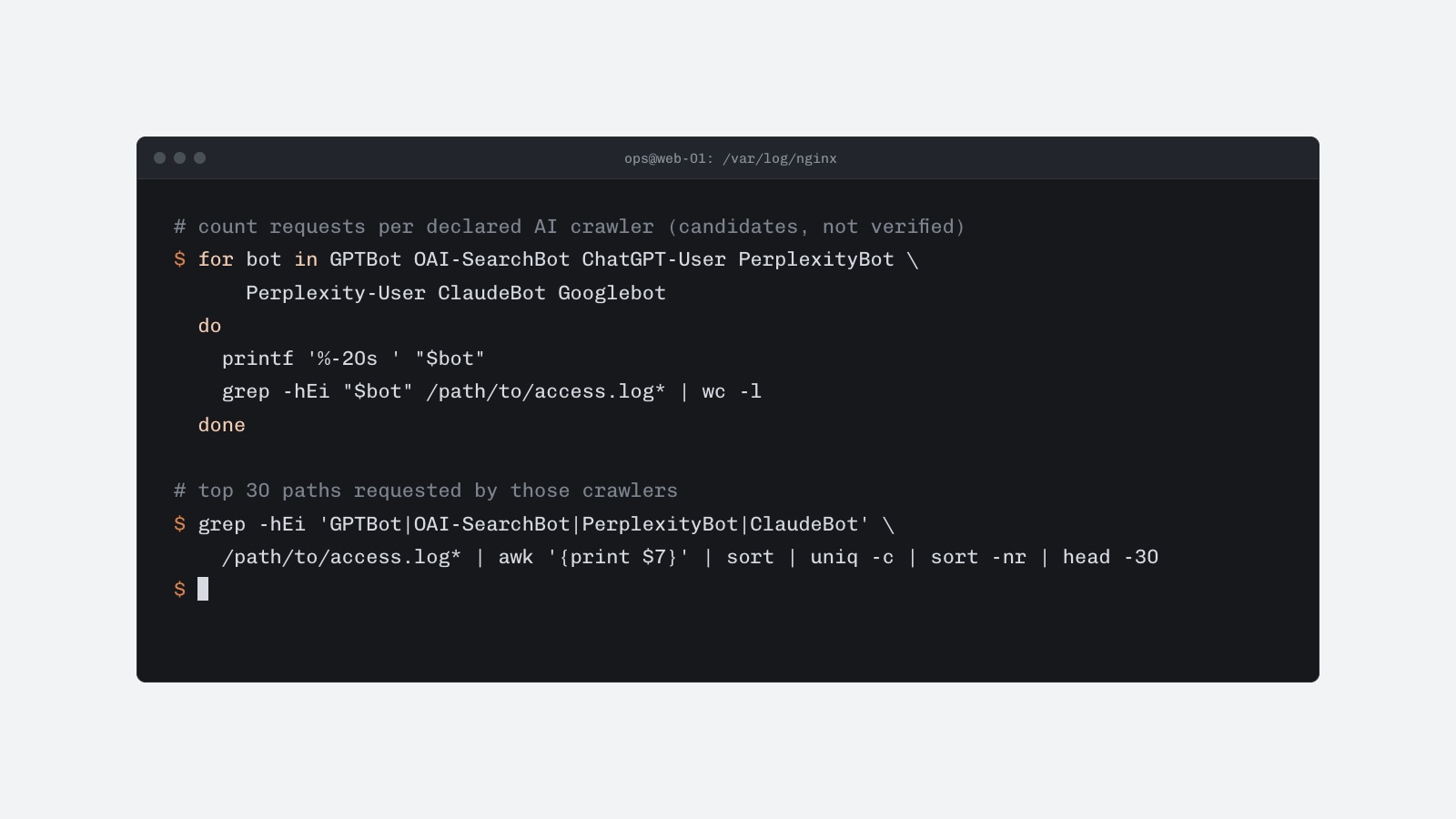
To print only a count by token, run separate searches:
for bot in GPTBot OAI-SearchBot ChatGPT-User PerplexityBot Perplexity-User ClaudeBot Googlebot
do
  printf '%-20s ' "$bot"
  grep -hEi "$bot" /path/to/access.log* | wc -l
done
These commands find lines containing the tokens. They do not establish that the request came from OpenAI, Perplexity, Anthropic or Google. User-Agent strings can be copied, and the research literature recommends combining log evidence with domain and IP information rather than treating the string alone as proof.[9][10]
To inspect the most frequently requested paths by a candidate crawler, adapt the command to your log format. In a standard combined log, the request path is usually the seventh whitespace-separated field:
grep -hEi 'GPTBot|OAI-SearchBot|PerplexityBot|ClaudeBot|Googlebot' \
  /path/to/access.log* |
awk '{print $7}' |
sort |
uniq -c |
sort -nr |
head -30
This field position changes when the log uses a custom format, quoted fields or structured JSON. Confirm the format before relying on positional parsing.
How do you track GPTBot in logs?
Search separately for OpenAI’s crawler identities rather than grouping them under one label:
grep -hEi 'GPTBot|OAI-SearchBot|ChatGPT-User' /path/to/access.log*OpenAI publishes separate resources for GPTBot, OAI-SearchBot and ChatGPT-User.[6] The distinction matters because OpenAI describes OAI-SearchBot as associated with ChatGPT search, while ChatGPT-User represents user-initiated actions and is not used to determine whether content appears in Search.[6]
A useful report should preserve the original User-Agent, timestamp, IP address, path, response status and response size. Do not collapse all OpenAI-related requests into one total if the goal is to understand search crawling, training-related crawling or user-triggered retrieval separately.
How do you verify an AI crawler IP?
IP verification has four stages.
-
Identify the address recorded by the origin.
First determine whether the address in the log is the connecting proxy, the edge network or the end client. If Cloudflare sits in front of the site,CF-Connecting-IPcarries the client IP to the origin, but Cloudflare warns that this header can be spoofed when the origin accepts requests that did not pass through Cloudflare.[11] -
Trust only configured proxies.
For NGINX, the real-IP module usesset_real_ip_fromto define trusted proxy addresses andreal_ip_headerto select the header used to replace the apparent client address.[12] Do not accept arbitraryX-Forwarded-Foror similar headers from the public internet. -
Compare the address with the correct provider feed.
OpenAI publishes separate JSON resources for its crawler identities, and Perplexity publishes separate files for its crawler and user-triggered bot. Pair the User-Agent with its matching feed; do not create one combined Perplexity allowlist for different bot identities.[7] -
Use DNS verification where the provider documents it.
Google’s method performs reverse DNS on the logged IP, checks that the hostname ends in an approved Google domain, and then performs a forward lookup to confirm that the hostname resolves back to the original IP.[1]
The provider’s current documentation should be treated as authoritative. IP ranges can change, so a copied list in a script or firewall rule can become stale.[7]
Official verification sources by provider
| Provider | Candidate User-Agents | Verification approach |
|---|---|---|
| OpenAI | GPTBot, OAI-SearchBot, ChatGPT-User |
Use the matching OpenAI JSON resource for each identity.[1] |
| Perplexity | PerplexityBot, Perplexity-User |
Use the matching Perplexity JSON range file and refresh checks when ranges change.[1] |
Googlebot and other Google crawler classes |
Use Google’s published range files or its forward-confirmed reverse-DNS procedure.[13] | |
| Anthropic | ClaudeBot |
No official crawler IP-range file is currently published by Anthropic.[8] |
Anthropic’s limitation should be stated plainly: a ClaudeBot User-Agent can be found in the logs, but official range-based IP verification is not currently available from Anthropic’s documentation.[8]
How do reverse proxies affect the logged IP?
A reverse proxy can make every origin request appear to come from the proxy’s address unless the server is configured to restore the client address safely. This is common with CDNs, load balancers and managed hosting.
Cloudflare supplies request headers such as CF-Connecting-IP, but the origin should trust them only when traffic is restricted to Cloudflare’s own network.[11] Otherwise, a direct request could submit a forged header and appear to originate from another address.
NGINX’s real-IP module supports an explicit trusted-proxy configuration:
set_real_ip_from 192.0.2.0/24;
real_ip_header CF-Connecting-IP;
real_ip_recursive on;
The example network is illustrative and must not be used as a production Cloudflare allowlist. Replace it with the proxy ranges and architecture that actually serve the site. The security principle is to define trusted proxy addresses explicitly before using a forwarded header to identify a crawler.[1][11]
Record both the connection address and the normalized client address where possible. Keeping both fields makes later investigations easier when a proxy configuration changes.
Can dashboards replace raw log analysis?
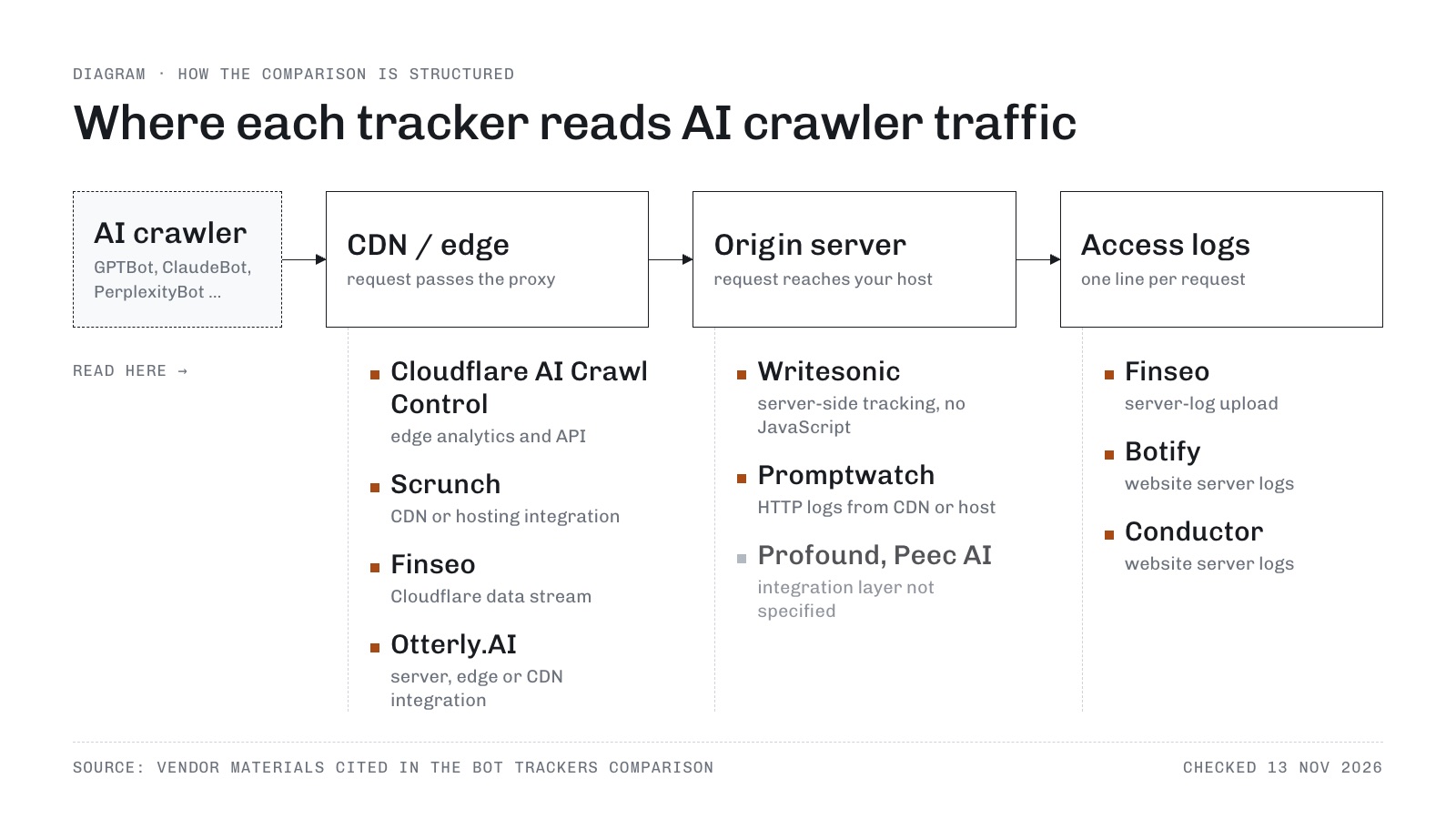
Dashboards make trends easier to inspect, but they should complement request-level logs rather than replace them. Finseo’s AI bot traffic analysis is another dashboard option for tracking GPTBot, ClaudeBot, PerplexityBot and other AI crawlers, and the same verification caveats apply to it. Finseo is hosted in Frankfurt, Germany with EU data residency, is GDPR-compliant with a data processing agreement (DPA) and is ISO 27001 certified, and for enterprise teams it offers SSO via SAML, roles per project, an audit trail and unlimited seats, according to its enterprise page.
Cloudflare AI Crawl Control provides crawler activity views through Overview, Crawlers and Metrics tabs, including request volume, changes in volume, common status codes, popular paths and high-volume crawlers.[14] Cloudflare Logpush can export request or event logs to a destination, while Instant Logs provides near-real-time HTTP request visibility through the dashboard or CLI.[15]
Cloudflare Bot Analytics helps analyze bot traffic and recent attacks for eligible Business and Enterprise customers, and its displayed sample rate should be checked before comparing dashboard counts with raw logs.[16]
GoAccess is a general access-log analyzer that supports the Combined format and can produce static or real-time HTML reports.[5] Configure its log format to match the actual server output; otherwise, its User-Agent and bot panels may be incomplete or misleading.
A practical dashboard workflow is:
- Export or open a defined time period.
- Filter by the exact User-Agent token.
- Compare request volume by day and status code.
- Review requested paths and response sizes.
- Identify repeated errors, blocked responses and unusually high request rates.
- Export the underlying records for IP verification.
- Compare the results with the provider’s current documentation.
What can server logs tell you about AI visibility?
Server logs show that a crawler requested a resource. They do not show whether an AI system later cited that resource in an answer.
Bing Webmaster Tools’ AI Performance report focuses on pages cited, visibility trends and grounding queries associated with content.[2] That is a different measurement from raw crawler activity, as is AI citation tracking that records which sources ChatGPT, Perplexity and other models cite for a set of prompts. A page can receive crawler requests without appearing in an AI answer, and an AI answer can cite a page without the site owner being able to attribute the event to one visible crawler request.
Keep these datasets separate:
| Dataset | Measures | Does not prove |
|---|---|---|
| Web-server access logs | Requests received by the site | That a page was cited in an AI answer |
| Cloudflare crawler dashboards | Requests observed by Cloudflare and classified as crawler activity | Complete visibility across every AI service[2] |
| AI citation reports | Pages or domains associated with AI answers | Every underlying crawl request |
| User-Agent search | Candidate crawler identity | Authenticity of the source IP |
| IP-range or DNS check | Whether the address matches a provider’s published verification method | That the request was used for a particular purpose |
The 2025 ACM Internet Measurement Conference research on AI crawlers used server logs and Cloudflare’s dashboard as ground truth for page requests, while examining User-Agent strings and network evidence together.[10] That supports a cautious interpretation: logs are valuable evidence of fetching, but they are not a standalone measure of AI visibility.
How should you build a recurring AI bot report?
A recurring report should retain enough context to distinguish real changes from configuration changes.
Track these fields:
- Date and time window
- Bot token and complete User-Agent
- Logged client IP and connection IP
- Requested URL
- HTTP method
- Status code
- Response bytes
- Referrer, if present
- Proxy or CDN involved
- Verification source and verification date
Useful summary metrics include requests per bot, unique IPs, requested pages, status-code distribution, bytes transferred, blocked requests and repeat-request intervals.
Avoid reporting a single “AI bot visits” number without explaining the detection method. A User-Agent-only count includes possible impersonators, while an IP-verified count can exclude providers with no published ranges and can break when ranges change.
For operational alerting, notify the team when:
- Requests increase sharply compared with the baseline.
- A claimed crawler appears from an unverified address.
- The same bot repeatedly requests nonexistent URLs.
- A crawler receives many
401,403,429or5xxresponses. - A proxy configuration changes the apparent client address.
- A provider publishes changed verification ranges.
What should you do when a bot spoofs its identity?
What does User-Agent spoofing mean for AI crawler tracking?
A User-Agent is a client-supplied string, so any HTTP client can claim to be GPTBot, Googlebot or another crawler. Treat the string as a candidate label, then corroborate it with the provider’s published IP ranges or documented DNS verification where available.[1][13]
Do not block or allow traffic solely because the User-Agent contains a familiar token. For providers without an official range list, such as Anthropic’s currently documented crawler setup, record the limitation and use additional evidence such as network ownership, request behavior and proxy-level telemetry rather than inventing an authoritative verification result.
A spoofing-resistant process should also protect the origin from direct traffic that bypasses the CDN. If the origin accepts arbitrary forwarded headers, an attacker can make a request appear to have come from a trusted crawler or a different visitor.[11]
Frequently asked questions
How do I find AI bots in NGINX logs?
Confirm that the NGINX access format includes the User-Agent and client address, then search the active and rotated logs with a case-insensitive expression containing crawler tokens such as `GPTBot`, `PerplexityBot`, `ClaudeBot` and `Googlebot`.[11][4] The search finds candidates only; verify the source address separately.
How do I track GPTBot in server logs?
Search separately for `GPTBot`, `OAI-SearchBot` and `ChatGPT-User` because OpenAI documents them as different crawler identities.[6] Preserve the complete User-Agent and compare each identity with its corresponding OpenAI resource rather than combining all OpenAI traffic into one unverified count.
How can I verify an AI crawler IP?
First identify the true client address after accounting for trusted reverse proxies. Then compare the address with the provider’s current published range file or use the provider’s documented DNS verification process; Google documents forward-confirmed reverse DNS for its crawlers.[13]
Does Google-Extended appear in server logs?
Not as a separate HTTP User-Agent, according to Google’s documentation.[9] It is a robots.txt control token, so search logs for the actual Google crawler or fetcher User-Agent instead.
Can I verify ClaudeBot by IP address?
Anthropic currently says it does not publish crawler IP ranges because it uses public IPs from service providers.[8] You can identify `ClaudeBot` candidates in logs, but an official range-based verification result is not currently available.
Do AI crawler visits prove that my site appears in AI answers?
No. Server logs record requests, whereas AI visibility reports measure citations, references or appearances in generated answers.[2] Use access logs to analyze fetching and citation tools to analyze how content is represented in answers.
Sources
- [1]Verify Requests from Google Crawlers and Fetchers | Google Crawling Infrastructure | Crawling infrastructure | Google for Developers — developers.google.com
- [2]AI Performance - Bing Webmaster Tools — bing.com
- [3]Log Files - Apache HTTP Server Version 2.4 — httpd.apache.org
- [4]Configuring Logging | NGINX Documentation — docs.nginx.com
- [5]GoAccess - Get Started — goaccess.io
- [6]Overview of OpenAI Crawlers — developers.openai.com
- [7]Perplexity Crawlers — docs.perplexity.ai
- [8]Does Anthropic crawl data from the web, and how can site owners block the crawler? | Anthropic Help Center — anthropic.com
- [9]Google's common crawlers | Google Crawling Infrastructure | Crawling infrastructure | Google for Developers — developers.google.com
- [10]Somesite I Used To Crawl: Awareness, Agency and Efficacy in Protecting Content Creators From AI Crawlers — sysnet.ucsd.edu
- [11]Cloudflare HTTP headers · Cloudflare Fundamentals docs — developers.cloudflare.com
- [12]Module ngxhttprealipmodule — nginx.org
- [13]Google Special-Case Crawlers | Google Crawling Infrastructure | Crawling infrastructure | Google for Developers — developers.google.com
- [14]Analyze AI traffic — developers.cloudflare.com
- [15]Cloudflare Logs — developers.cloudflare.com
- [16]Bot Analytics — developers.cloudflare.com